![mirro_logo_pnk_slogan.png]](https://help.mirro.io/hs-fs/hubfs/mirro_logo_pnk_slogan.png?height=40&name=mirro_logo_pnk_slogan.png)
Where to find it:
The Check-in Session Publisher right is managed from the module Admin Area-Access rights section. An HR admin needs to assign it to the relevant user before they can start creating sessions.
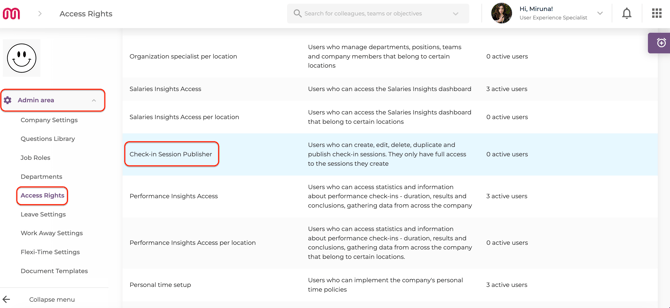
What the Check-in Session Publisher role can do?
Once the access right is assigned, the Publisher can:
- Create, edit, delete, and duplicate check-in sessions — but only the sessions they have created themselves;
- Set the audience for their sessions using the extended available filtering conditions — they can launch performance sessions for anyone in the organization;
- Access the full Question Library to build and customize their session questions;
!! If a new question is added in the section Questions Library, the question will be available for all users to be used in any check-in session;
How to create a check-in session as a Publisher:
- Go to the Performance module from the main navigation.
- Select Check-in Sessions from the left menu.
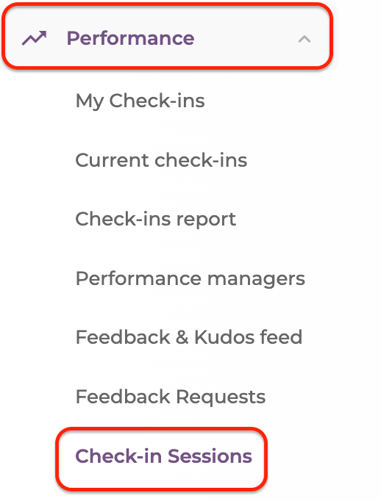
- Click Add Session to start building a new session.
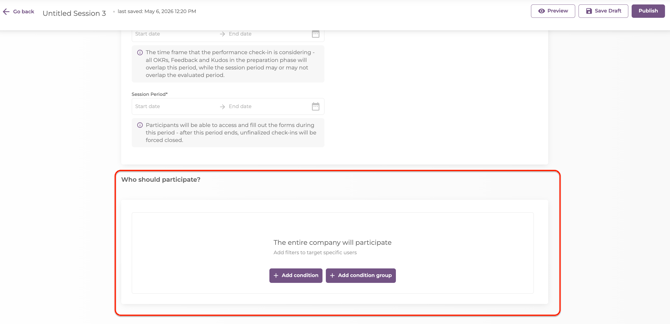
- Use the Filtering conditions to define your audience — you can select anyone in the organization:
- Configure the session details: name, questions from the Question Library, and timing;
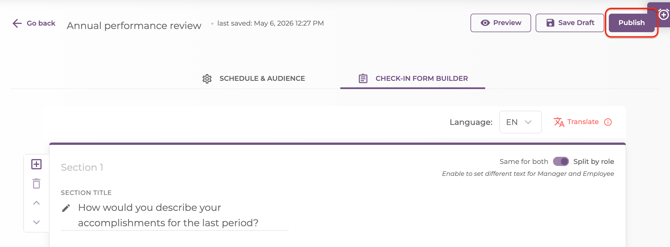
- Click Publish to launch the session:
Understanding what the Publisher role can and cannot do:
| What the Publisher can do | What the Publisher cannot do |
|---|---|
| Create sessions for anyone in the organisation | Edit or delete sessions created by other users |
| Use the full Question Library | Access results for people outside their hierarchy (if DPA is also active) |
| Manage their own sessions end to end | Automatically inherit other access rights |
💡 Tip: The Check-in Session Publisher role works independently — it is not bundled with any existing access right. An HR admin needs to assign it separately. If a user also has the DPA (Department Performance Administrator) right active, they will only be able to view results for people who are hierarchically below them, even if they created sessions for a broader audience.
FAQ:
Q: Can a Publisher see the results of sessions they created for people outside their team?
A: It depends on their other rights. If the DPA right is active on their account, it will limit result visibility to their direct reports only, even for sessions they created for a wider audience;
Q: Does the Publisher role give access to sessions created by other users?
A: No. Publishers have full control only over the sessions they personally created. Sessions from other users remain outside their access;