![mirro_logo_pnk_slogan.png]](https://help.mirro.io/hs-fs/hubfs/mirro_logo_pnk_slogan.png?height=40&name=mirro_logo_pnk_slogan.png)
It might happen that the manager closes a check in with their mentee too soon, before the mentee had the chance to answer their questions. There is no need to worry, as the evaluation can be reopened anytime.
For that, you will need the access right Company performance admin. A basic user or a manager without this access right can't reopen a check in evaluation.
If you want to know how to offer access rights to a user, you can read our article: How to grant access rights to a user.
The next step is to access the performance check you want to reopen. You can find it in the module Performance- Current check ins. You can use the filters on the right to find it, or click on the option View history, available next to the current evaluation between the mentee and their manager: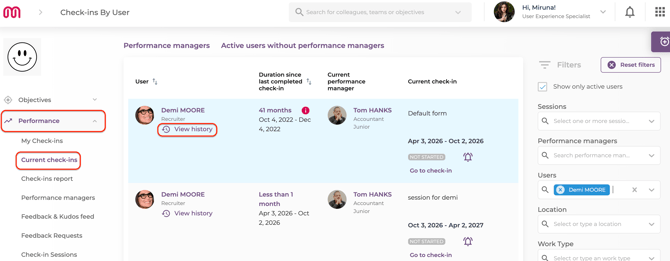
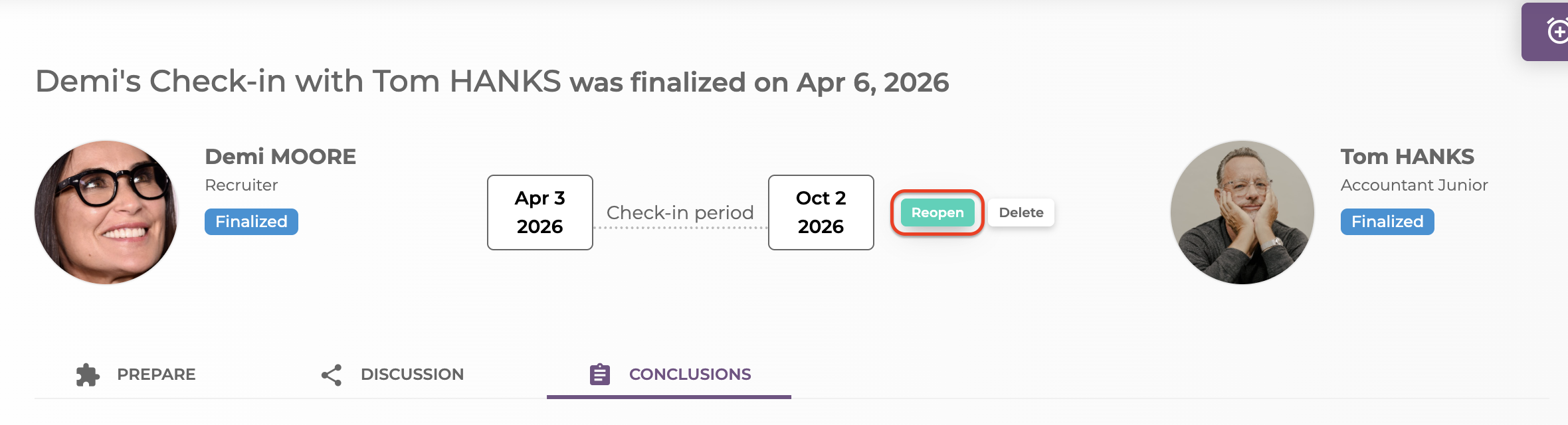
The last step is to click on reopen: