![mirro_logo_pnk_slogan.png]](https://help.mirro.io/hs-fs/hubfs/mirro_logo_pnk_slogan.png?height=40&name=mirro_logo_pnk_slogan.png)
Where to find it
From the module Workflows- Tasks and select People I manage. This tab only appears if you are someone's Performance Manager, Head of Department, Department performance administrator, or coordinator (Direct timeoff approval). See How access rights work in Workflows.
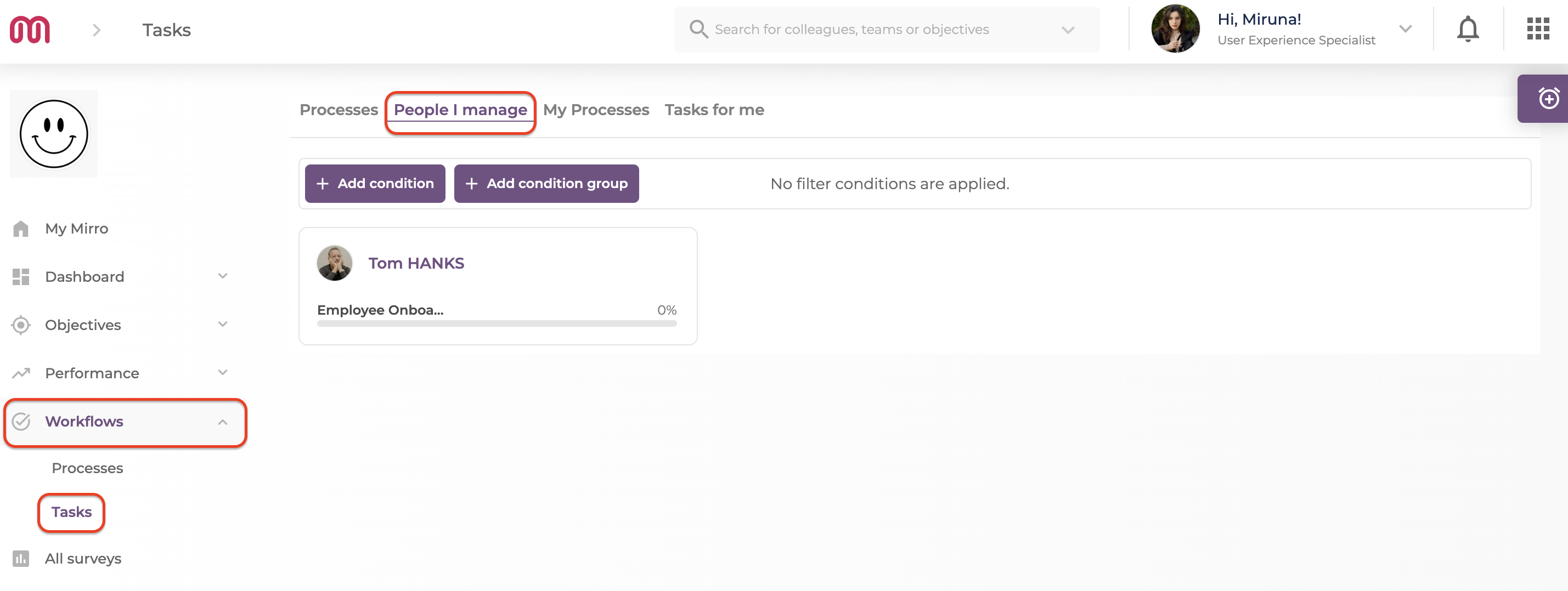
Checking your team's progress
1. Look through the cards, one per person you manage. Each card shows their name, role, and the processes currently active for them with a progress bar.
2. Select a card to open that person's focus view: their process tabs, the full board underneath, and a header with their overdue task count.
3. From their focus view, you can edit one of their tasks (title, description, deadline, assignees), reassign it, add a task to an active run if the workflow allows it, and select Trigger workflow to start a new process for them.
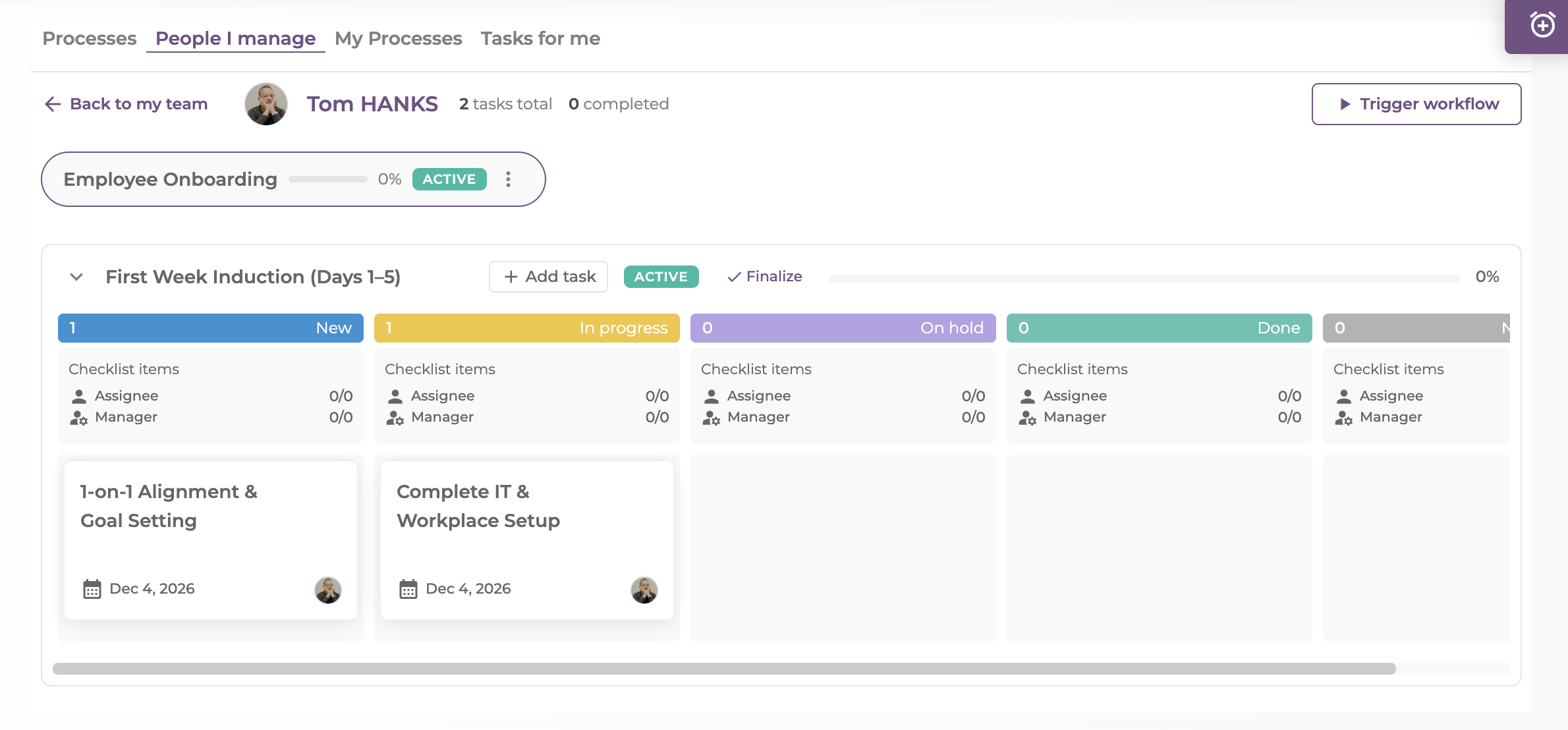
4. Use the Manager actions menu next to a process's status tag to finalize, force close, or reopen it. See How to finalize, force close, or reopen a process.
💡 Tip: If a task has a Manager Checklist with at least one item on it, it becomes visible to you here even if you are not the task's direct assignee, as long as the person is in your hierarchy. This visibility stops after two management layers, so you will not see checklists for people far below you.
FAQ
Q: Someone I manage is missing from this list. Why?
A: Check that the hierarchy relationship is set correctly (as their Performance Manager, department head, department performance administrator, or coordinator), and that they currently have an active process. Someone with no running process will not show a card here.
Q: Can I see processes for people outside my own hierarchy from here?
A: No. People I manage only shows the people below you. Seeing every process in the company needs Workflow Admin, Workflow Manager, or Workflow Manager per location.
If you need more details, contact us at support@mirro.io.